Understand plans and manage billing
Find the plan for your active account, review an upgrade and open subscription management when available.
On This Page
Check the right account and plan
Each account has its own plan. Check the account switcher before reviewing billing. An Owner can manage the account’s billing. Creators and Viewers see a read-only summary and should ask the owner about a change.
Free includes building up to three courses, publishing one course, public sharing and basic 30-day analytics. Pro adds paid creator capabilities, including publishing flows and additional sharing options. Team adds collaborator invitations. Pricing lists the current features and standard offers.
- Open Account in account navigation. On a phone, use Open navigation to reach it.
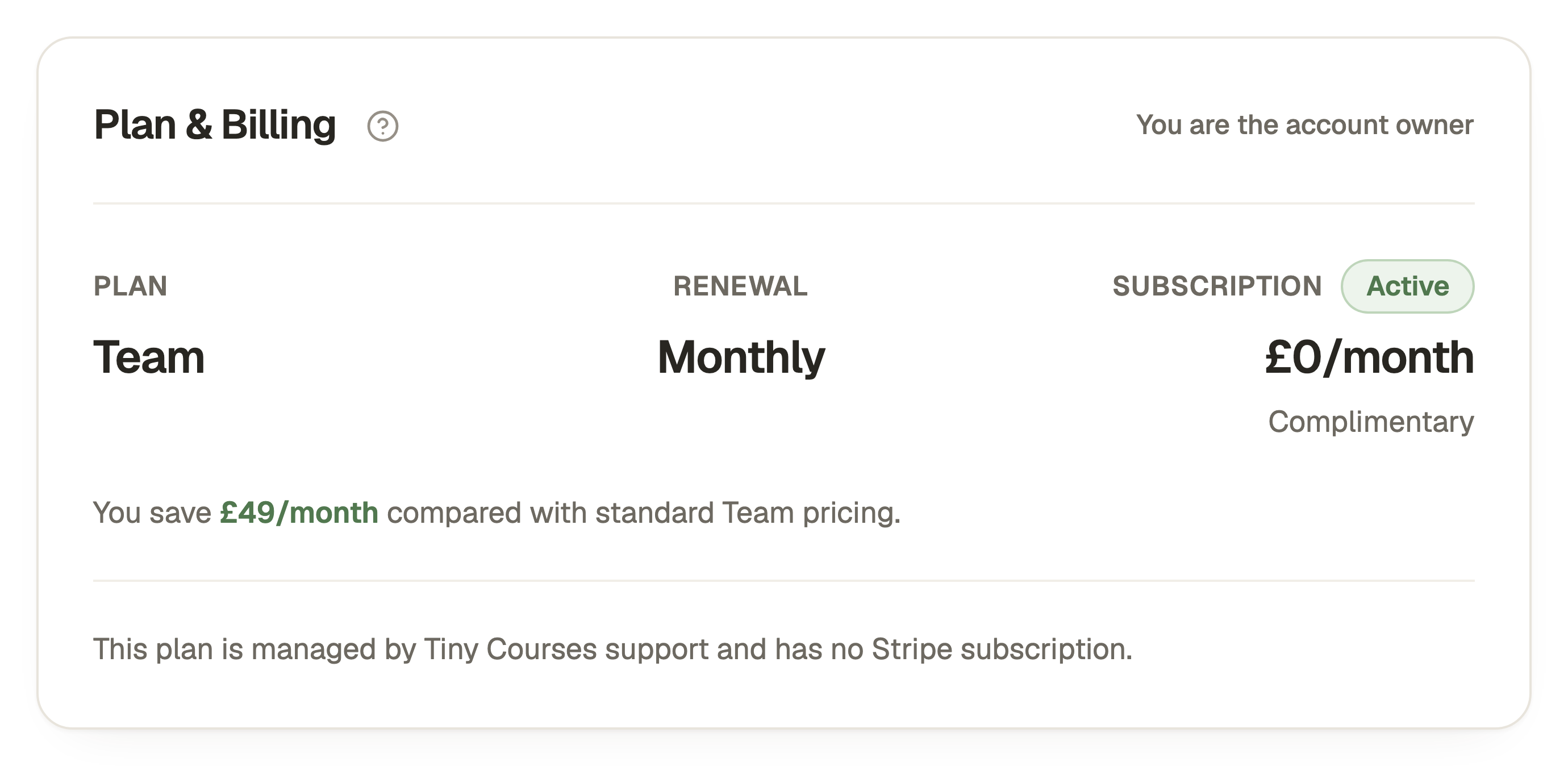
- Find Plan & Billing, or the read-only Plan summary available to your role.
- Review the plan, account status and any subscription or renewal details shown. This is the plan for the active account, so check its name before making changes.
Review an upgrade
An owner on Free can use Upgrade from Account or the relevant feature’s upgrade prompt. Check the plan and billing period before continuing. Stripe shows the final payment details and applicable totals before you confirm.
After returning to Tiny Courses, wait for subscription confirmation and check Account again. If the app cannot confirm the change, use the recovery action shown instead of paying a second time. If confirmation is delayed, check the message in Account before trying checkout again.
Open subscription management
For a Stripe-managed paid subscription, the owner can use Manage Subscription in Stripe under Plan & Billing. Use Stripe’s controls for the options available to that subscription, such as reviewing invoices or payment details. Read the displayed consequences before confirming a change.
If Set Up Payment In Stripe appears, the account needs payment details for its assigned plan. Follow that action rather than buying another subscription. A support-managed plan can instead explain that it has no Stripe subscription.
Use Contact Support beside the billing controls to ask about a plan change that is not offered there. Include the account name and the requested change, without sending card details.
Understand billing and access messages
A payment-recovery warning means the owner should review the payment or invoice in Stripe. Creators and Viewers should ask the owner to do that. The warning explains the payment problem and the next action to take.
When a subscription is scheduled not to renew, Account shows the paid-access end date. Review any feature or publishing limits before a downgrade. Cancelling renewal, unpublishing a course and closing an account are separate actions.
If a control is absent, check your active account, role and the exact message. Creators and Viewers can read the plan summary, but the Owner manages billing.
Questions & answers
- Does every learner need a creator subscription?
- No. Taking a shared course is separate from paying to create and manage courses. Learners follow the course creator’s joining and access instructions.
- Where are the current prices?
- Open Pricing on the website for current standard offers. Account and Stripe show the details of your actual subscription, including any assigned offer.
- Does cancelling renewal delete my account?
- No. Renewal cancellation, paid-access expiry and permanent account closure are different operations. Read the current plan and closure messages before making a change.