What is a flow?
Understand when to group courses into a path, how course order works and which audience applies.
On This Page
A course has lessons. A flow has courses.
Use one course for a focused topic or outcome. Use a flow when several courses belong in a larger path. A first-week onboarding flow, for example, could contain separate courses about the team, tools and first tasks.
Your space is the creator presence where you present content. The account is where your team manages that space, its courses and flows. A flow does not replace the individual courses or their lessons.
Find or create a flow
Publishing a flow requires an eligible plan. You can share a single published course without creating a flow at all.
- Select Flows in account navigation.
- Open an existing flow to edit it, or select Create Flow to make a new one. Viewers open a read-only preview.
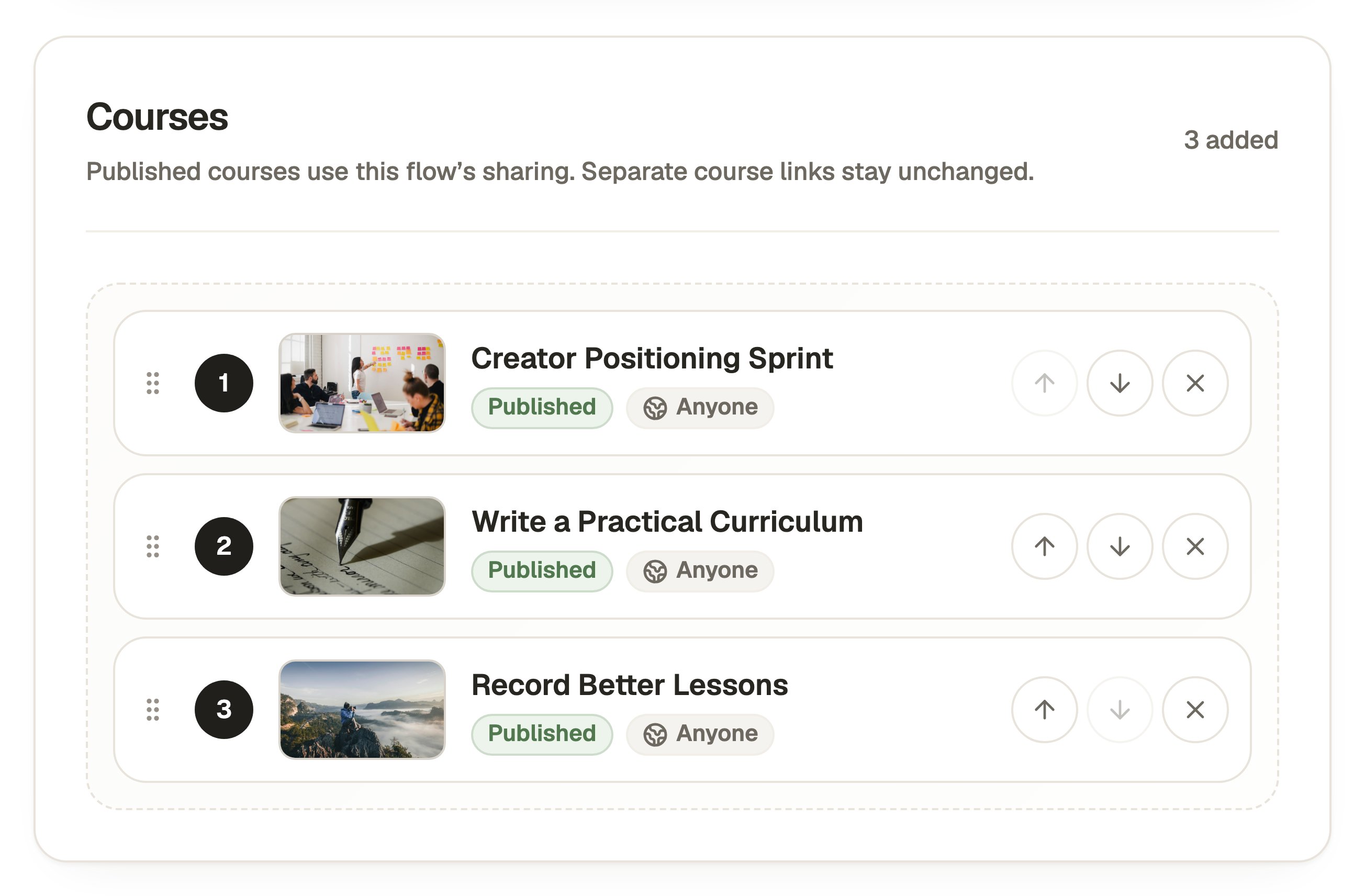
- In Create Flow, enter Title and Description and add existing courses from Your courses using their plus controls.
- Set Order and Sharing, then select Create Flow. To change these choices later, use the Settings cog in the flow editor and Save Changes.
Reuse a course without creating another copy
A course can belong to more than one flow. Its lessons and publication are shared across those placements. To update its teaching content, edit and publish the course itself.
Learner progress belongs to the learner and that course. Reusing it does not create a new progress record for every flow. Removing a course from a flow does not delete the course.
Choose Free Order or Sequential
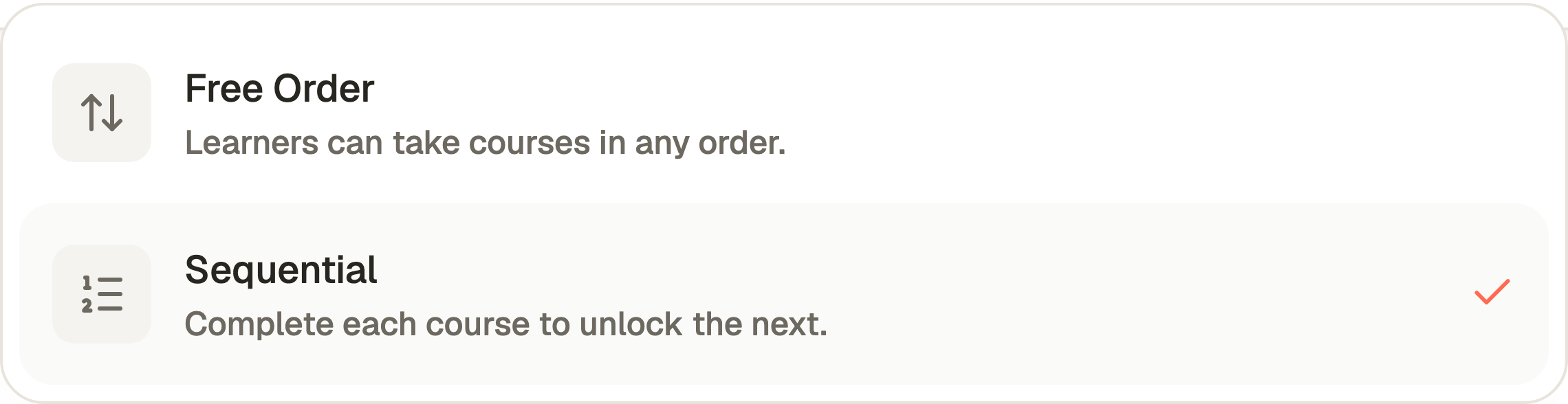
In Create Flow or Flow Settings, Order offers Free Order and Sequential. Free Order lets learners take courses in any order. Sequential requires earlier courses before later ones become available.
Use the up and down arrows in the selected Courses list to arrange the path. Save Changes updates the draft. Republish the flow to release a changed list or order setting.
Questions & answers
- Do I need a flow for my first course?
- No. Publish and share the course on its own. Add a flow when several courses belong in a useful learning path.
- Do I have to republish every flow after editing a course?
- Publishing that course updates its published content wherever included. Changing a flow’s own details, course list or order requires republishing the flow.
- Can a private standalone course be used in a shared flow?
- Yes, the flow’s audience applies inside that flow. A previously private course with a preserved Flow access restriction needs explicit Allow Flow Access confirmation first.